
Command Scheduler: Define Laravel Schedules on the Command Itself
Declare Laravel schedules on the command class with a #[Scheduled] attribute, add run windows, toggle tasks from the database without a deploy, and track every run.
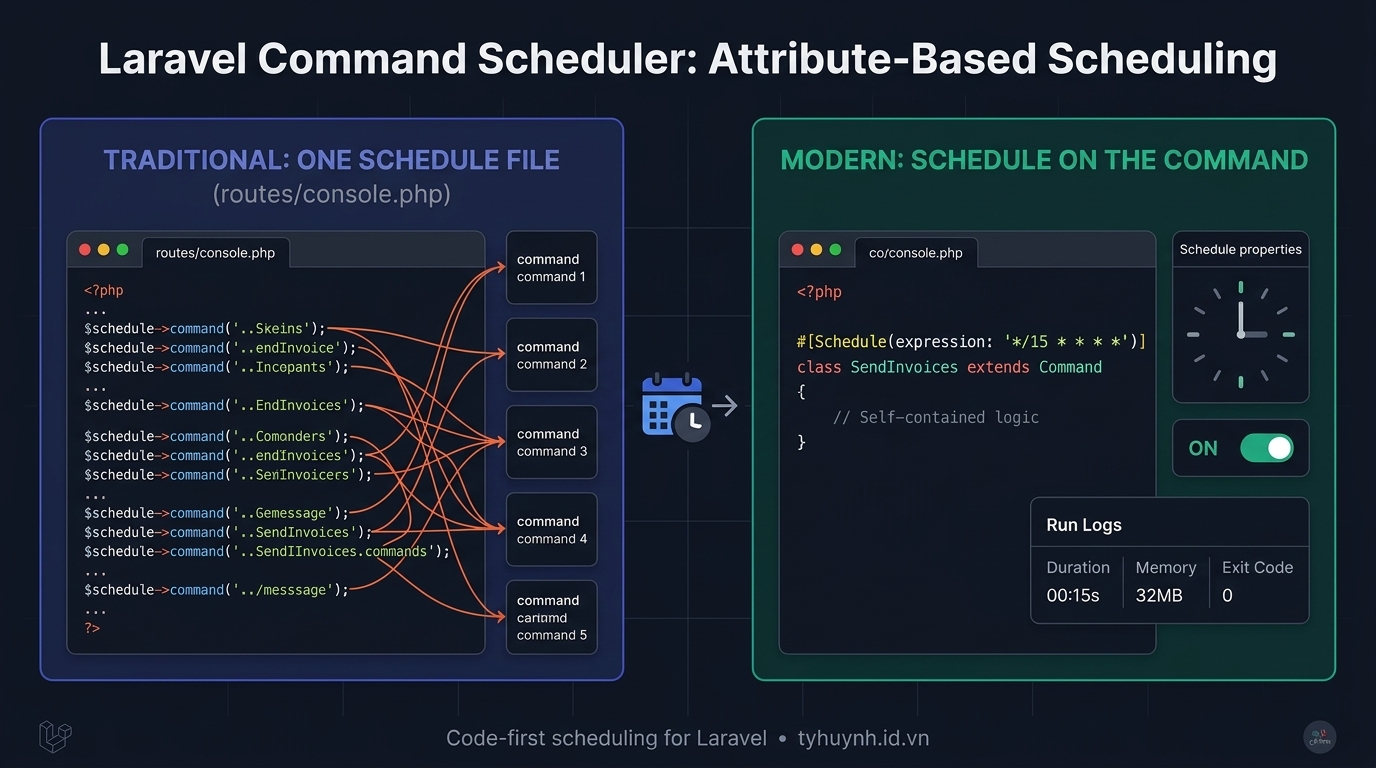
Overview
Laravel’s built-in scheduler keeps every schedule in one file, away from the commands it runs. For a few static tasks that’s fine. Once schedules become something you manage (turning one off, limiting it to business hours, checking whether last night’s run worked), it gets awkward. I built Command Scheduler for that case.
You declare the schedule right on the Artisan command class:
#[Scheduled(
    cron: '*/15 * * * *',
    window: RunWindow::WORKING_HOURS,
    category: 'maintenance',
    description: 'Clean up temporary files during working hours'
)]
class PruneTempFilesCommand extends Command
Then php artisan scheduler:sync saves the definitions to your database.
What it gives you
Command Scheduler transforms how you manage scheduled tasks:
- Schedules that live on the command class, so there’s no separate schedule file to keep in sync.
- Run windows (14 built in, such as working hours, weekends, and holidays), so you don’t write complicated cron expressions.
- Database toggles, so you can switch a task off at runtime without deploying.
- A run log for every execution: start and end time, duration, peak memory, and exit code.
- An optional Livewire dashboard to see upcoming runs, read the logs, toggle tasks, and trigger them manually. It needs Livewire and MaryUI, and you should configure its authorization gate, since it can run any registered command.
Security note: The Livewire dashboard can run any registered command. Make sure to configure its authorization gate before enabling it in production.
When to use it
If you only have a handful of tasks that rarely change, Laravel’s native scheduler is all you need.
This package is for when you want schedules controlled at runtime and tracked with history. It’s built for apps where task scheduling is an operational concern, not just a development-time configuration.
Why it matters
The problem Command Scheduler solves is familiar: as your Laravel app grows, so does its schedule. What starts as a few cron jobs becomes a complex set of interdependent tasks that need monitoring, toggling, and history.
By moving schedules to the command class and adding runtime controls, Command Scheduler gives you visibility and control without the overhead of external scheduling tools. The run log helps you debug failed jobs, and the database toggles let you respond to issues without deploying code.
Current version
Version 1.0.0. It needs PHP 8.4+ and Laravel 12 or 13, and it’s MIT licensed.
Docs and install
- Docs: https://tyhuynh.id.vn/libraries/command-scheduler/
- GitHub: https://github.com/T-Labs-Co/command-scheduler
Support
If it helps you, a coffee here keeps it maintained.
More packages: https://tyhuynh.id.vn/libraries
Legal Notice
This is an independently written summary and technical commentary. Original reporting belongs to its respective author and publisher. All trademarks belong to their respective owners.
For copyright or takedown requests, contact hongty.huynh@gmail.com or visit the Legal Disclaimer page.